How to Adjust Self-Propelled Mower Speed
As an Amazon Associate we earn from qualifying purchases.
To adjust self-propelled mower speed, find the speed control on your model, set the speed the way that model works, and then engage the drive. Some models change speed while the drive runs, and others take the speed setting before you engage. The person typing “how to adjust self propelled mower speed” needs the steps for a specific machine. The controls below are grouped by type. The pages we opened describe the controls and the speed setting, but they do not state a mowing pace.
Quick answer
- Find the speed control first. Husqvarna’s help article describes a lever or + and – buttons “if this applies to your model,” and the EGO pages describe a dial.
- On the EGO Touch Drive model, the speed changes at the same time you engage the drive, using the scroll of a dial.
- On select Husqvarna models, the start-up steps set the speed first and then engage the self-propelled system.
- Disengage the drive before you go near an obstacle or pull the mower backward, and push the mower forward about 10 cm before backing it up.
Safety before you change the speed
Changing speed does not involve the blade, but the blade is still the hazard on any mower. The Ag Safety page warns: “At these speeds, the blade can damage anything or anyone in its path.” Keep that in mind at every step below. The same page gives the direction rule for a walk-behind mower on a slope: “When using a walk-behind mower, mow across the slope to reduce the risk of contact with the mower blade.” The Illinois Extension page gives general direction advice in plain words: “Mow in the direction that is safest.” The OSHA page, which covers riding mowers, adds that the limit is the manufacturer’s: “Do not operate mowers on slopes that exceed the angle limits specified by the manufacturer.”
The speed controls the pages describe
The table lists the five control types the pages we opened describe. The control on your model decides which step applies, so find the type first.
| Control type | How the drive starts | How speed is set | Source |
|---|---|---|---|
| Drive bail | Pull the drive bail toward the upper handle | A lever or + and – buttons, if the model has them | Husqvarna help article, bail section |
| Drive lever | Pull the drive lever toward the handlebar | + and – buttons or dials, if the model has them | Husqvarna help article, lever section |
| Palm pressure on the handle (EGO 30-inch) | Palm pressure on the handle | A dial at the fingertips | EGO 30-inch product page |
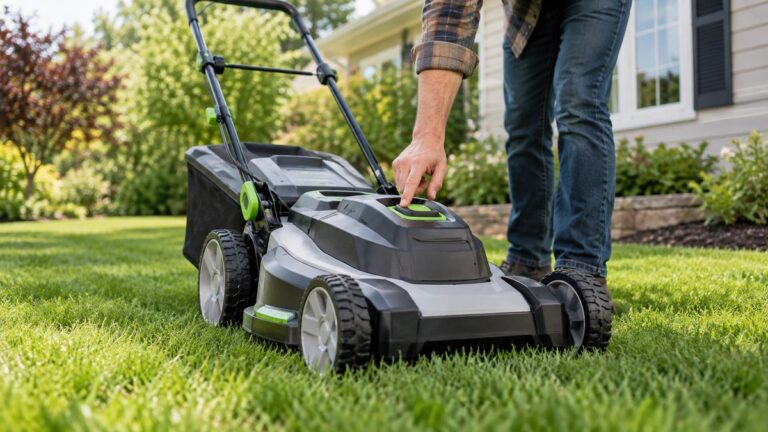
| Touch Drive (EGO 21-inch) | Touch of the palm | Scroll of a dial, at the same time as engagement | EGO Touch Drive product page |
| Start-up sequence (select Husqvarna models) | Engage the self-propelled system after the speed is set | Set before engaging | Husqvarna start-up page |
The bail and lever rows in the Husqvarna article each show a speed control only “if this applies to your model.” That phrase matters. A model with no lever and no buttons still has a drive, but the article does not give it a speed setting you can change.
Step by step: set the speed and engage the drive
- Find the speed control on your model. Match what you see to a row in the table above. If the model has neither a lever, buttons nor a dial, the pages we opened give you no speed setting to adjust, so check the model page for the control before you start.
- On a start-up model, set the speed first. The Husqvarna start-up steps end with “Set the speed and engage the self-propelled system (select models).” Set the speed, then engage the drive. Keep the Ag Safety warning in mind as you do: “At these speeds, the blade can damage anything or anyone in its path.”
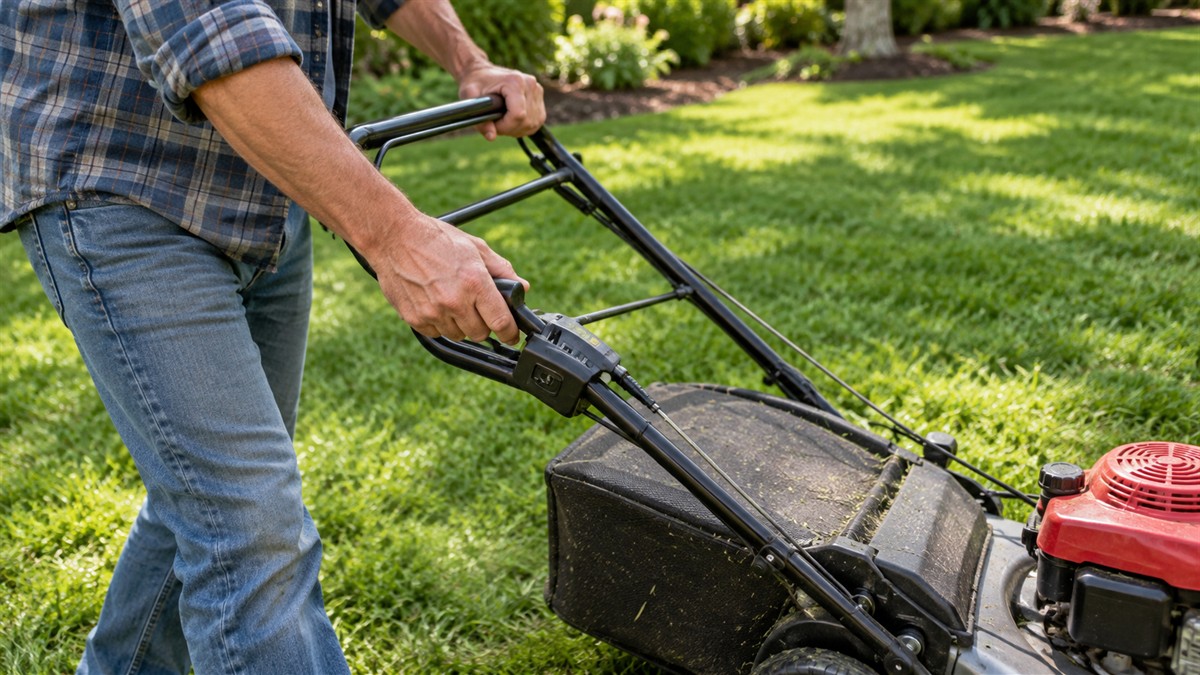
- Engage the drive with the control your model has. For a bail, pull the drive bail in the direction of the upper handle to start the drive. For a lever, pull the drive lever in the direction of the handlebar. For the EGO 30-inch, engage the self-propel system with palm pressure on the handle.
- Change the speed while the drive runs, if your model has a dial or buttons. On the EGO Touch Drive, the speed changes “at the same time” as you engage with the scroll of a dial. On a Husqvarna model with buttons, push the + and – buttons to set the drive speed. If you are on a slope, keep to the direction the Ag Safety page gives: mow across the slope with a walk-behind mower.
- Disengage the drive before an obstacle. For a bail, release the drive bail to disengage the drive, “for example when you go near an obstacle.” For a lever, push the drive lever away from the handlebar to disengage it in the same situations.
- Before you back the mower up, disengage the drive and push the mower forward. The Husqvarna article says to disengage the drive and push the product forwards approximately 10 cm before you pull it backwards.
How each control works
Bail controls
On a bail-type model, you start the drive by pulling the drive bail toward the upper handle. The Husqvarna article’s wording is “Pull the drive bail in the direction of the upper handle to start the drive.” The speed is set with the lever or the + and – buttons, if the model has either one. Releasing the bail disengages the drive, and the article gives the case of going near an obstacle as its reason for doing so.
Lever controls
On a lever-type model, the lever is pulled toward the handlebar to start the drive, and the article words that as “Pull the drive lever in the direction of the handlebar to start the drive.” Speed is set with + and – buttons or dials, if the model has them. To disengage, push the drive lever away from the handlebar, which the article describes for the same obstacle case.
Palm pressure and Touch Drive
The EGO 30-inch page describes palm pressure on the handle to engage the drive, with a dial at the fingertips for speed. The EGO Touch Drive page says the speed changes at the same time as you engage the drive. The EGO advanced mowers page describes the same dial as a way to “Easily adjust the speed with a scroll of the dial at your fingertips.” Because the speed changes during engagement on these models, the order of steps is different from the Husqvarna start-up sequence.
Start-up sequence on select Husqvarna models
On select Husqvarna models, the start-up steps end with setting the speed and engaging the self-propelled system. The article is a start-up guide for push mowers, so that speed step comes near the end of a longer procedure that includes the engine steps before it. The order means the speed you choose is in place when the drive engages.
What the speed range means on the EGO 21-inch
The 21-inch EGO listing states “Variable speed self-propel: .9 – 3.1 MPH.” It also says that you can “Easily adjust the variable speed self-propel from .9 to 3.1 MPH.” Those two statements describe the same range, which runs from the lowest setting to the highest. They describe drive speed. They do not describe how fast a lawn gets cut, because cutting time also depends on turns, stops, obstacles and the lawn itself.
When you set the speed, the bottom of the range is the slowest the drive will move the mower, and the top is the highest. The pages we opened do not say where a typical mow falls between the two, and they do not say how many setting steps sit between them. So a setting is a choice you make on the spot, and the range tells you the limits of that choice.
Speed does not change the mowing rules
Speed is one setting, and the mowing rules on the Illinois Extension page are separate from it. The page says “Follow the one-third rule.” It also says lawns “should be mowed according to the rate of grass growth,” which is a question of timing and not of drive speed. Its wet-grass line is just as direct: “It is never advisable to mow when the grass is wet.” A faster or slower drive setting does not change either rule, so the speed you choose should follow the grass and the lawn. The one-third rule concerns how much grass a single cut removes, so it applies at any drive speed.
The pages we opened do not say how the speed setting interacts with cutting height, so check your model’s manual for any link between the two.
Mistakes to avoid
- Forgetting to release the drive near an obstacle. The Husqvarna article gives the obstacle case directly as the reason to disengage.
- Assuming every model sets speed the same way. The Husqvarna start-up steps set speed before the drive engages on select models, while the EGO Touch Drive changes speed at the same time as engagement.
- Assuming your model has buttons or a lever. The Husqvarna help article applies those controls only “if this applies to your model.”
- Reading the speed range as a mowing pace. The EGO 21-inch range describes the drive, and the pages do not turn it into a pace for cutting.
- Backing up without disengaging first. The Husqvarna article says to disengage the drive and push the product forwards before you pull it backward.
Batteries, runtime and the drive
The Husqvarna help article notes that “on battery-powered products, you can use the drive with or without the blade being engaged.” That line concerns the drive and the blade, not the speed setting, and it applies to battery models only. If the model you want is battery-powered, the runtime is the other figure to check, and the EGO 21-inch listing states “delivers up to 60 minutes of runtime on a single charge with the recommended 56V 7.5Ah” battery. That is a manufacturer claim, and real runtime changes with grass, cutting height and terrain.
For more on how battery voltage and amp-hour ratings compare, see lawn mower battery voltage and amps. For one cordless self-propelled option, see the DEWALT self-propelled cordless lawn mower page. For corded models, see self-propelled corded electric lawn mowers.
How we chose
We chose pages that describe a drive control, a speed setting or a step for starting or stopping the drive. The Husqvarna pages are US help and product pages, and the EGO pages are manufacturer product pages. The safety pages are extension and government pages on mower hazards and slope direction. We did not use retail listings, reviews or forum posts for any step. Every quoted sentence was checked word for word against the saved text of its page. The nine pages listed at the end of this post were opened on 2026-10-22. Where a page covered only one control type, we cited it only for that control type. The EGO pages describe EGO models only, and the Husqvarna pages describe Husqvarna models only.
What we could not verify
We could not verify how the speed setting feels during a real mow, or whether the bail and lever controls take different effort to use. The owner manuals for these models are PDFs, and the tool used to open pages cannot read PDFs. The steps here therefore come from the HTML help and product pages only, and the manual steps for your model may differ. The Husqvarna help article covers petrol mowers, so the battery note in it is a single line, and we could not verify how the controls behave on every battery model. The 30-inch EGO page does not state a drive speed range, so we could not verify its settings.
What the sources do not say
The pages do not say whether the speed setting carries over when the mower is switched off, and they do not say how far the speed moves with each press of a button. They also do not say how fast the speed changes, or how many steps the setting has. They do not say whether the lever, the buttons and the dial change speed in equal steps. They do not say whether the buttons work while the drive runs, because the Husqvarna article describes setting the speed without saying when. The pages do not give a mowing pace for any setting. The OSHA page covers riding mowers, so its slope limit describes a riding mower directly and a walk-behind only in principle.
FAQ
Where is the speed control on a self-propelled mower?
It depends on the model. The Husqvarna help article applies its lever and button controls only where they fit the model, and the EGO pages describe a dial. Check the control on your mower before you assume it has one.
Can I change speed while the mower is moving?
On the EGO Touch Drive, the speed changes at the same time you engage the drive, using the scroll of a dial. The Husqvarna help article describes the buttons and the lever for setting speed, but it does not say whether they work while the drive runs.
Do I set the speed before or after I start the drive?
On Husqvarna’s start-up steps for select models, you set the speed and then engage the self-propelled system. On the EGO Touch Drive, the speed changes as you engage. Follow the order your model’s pages give.
What speed range does the EGO 21-inch mower offer?
The listing states a variable self-propel range of .9 to 3.1 MPH. That range is the drive speed, not a mowing pace, so it does not tell you how long a lawn will take.
How do I stop the drive quickly near an obstacle?
For a bail, release the drive bail to disengage the drive. For a lever, push the drive lever away from the handlebar. The Husqvarna article gives both steps for the situation where you go near an obstacle.
What do I do before I back the mower up?
Disengage the drive first, then push the mower forward about 10 cm. The Husqvarna article gives that step before you pull the product backwards.
Bottom line
Find the speed control on your model before you touch the drive, then set the speed the way that model’s pages describe.
Sources
- Husqvarna Help Center US: How to use a drive on lawn mower wheels (opened 2026-10-22)
- EGO POWER+: 21″ Self-Propelled Cordless Lawn Mower by EGO POWER+ (opened 2026-10-22)
- EGO POWER+: POWER+ 21″ Self-Propelled Mower with Touch Drive (opened 2026-10-22)
- EGO POWER+: advanced mowers, Touch Drive and Select Cut (opened 2026-10-22)
- EGO POWER+: POWER+ Mower 30″ Super Composite Deck with Dual Motors Kit (Two 6Ah Batteries) (opened 2026-10-22)
- Husqvarna US: How to start a push mower (opened 2026-10-22)
- Safety, Health and Wellness in Agriculture (eXtension): Riding Lawnmower Safety (opened 2026-10-22)
- OSHA: Dangers of Roll-Overs of Riding Mowers (opened 2026-10-22)
- University of Illinois Extension: Mowing Your Lawn (opened 2026-10-22)