How to Charge a Robot Mower Battery
As an Amazon Associate we earn from qualifying purchases.
If you want to know how to charge a robot mower battery, the manufacturer’s steps are short. The mower charges by docking at its station, the lights and the control panel indicator show the state of charge, and the first charge is set up at a temporary outlet for 45 minutes. This guide follows Toro’s Haven manual and its Getting Started guide, and it covers charging only. Winter storage is not covered here, and the pages we opened do not give a normal charge time beyond the first charge.
Quick answer
- The mower charges at its charging station. Toro says it docks there automatically when the battery is too low.
- The control panel battery indicator shows green when the battery is properly charged and red when it needs charging.
- The first charge is set up at a temporary outlet and runs for 45 minutes, according to the Getting Started guide.
- If the mower will not charge, the Toro checklist starts with obstructions and then covers dirty terminals and the power switch, while a dark station light points to the house outlet.
Where the mower charges
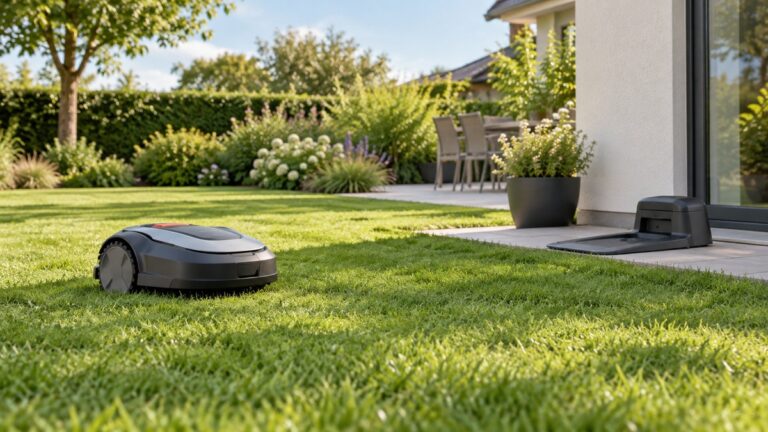
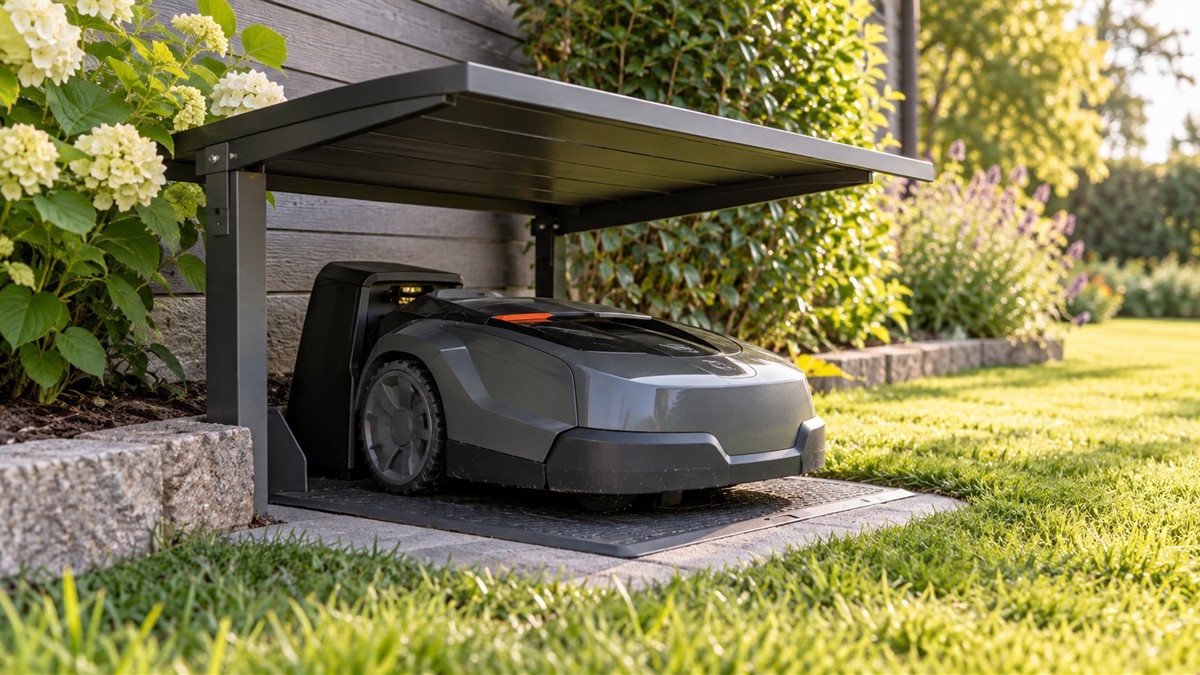
Toro’s charging overview says when the mower goes to the station: “When the mower battery charge is too low for mowing or when it reaches the end of a mowing task, the mower goes to the charging station to charge.” The docking page adds the automatic case in the same terms: the mower “automatically docks in the charging station if the battery is too low.” In both cases the charging happens at the station, so the station and its power supply are the parts you need to keep working.
You can also start a charge yourself. The docking page says to “press the home button on the control panel to manually send the mower to the charging station.” The pages we opened do not give a battery level at which you should send the mower to charge.
Staying on the dock until it is full
The docking page says the mower “will remain in the charging station until it is fully charged or until the next scheduled mowing task.” The charging overview gives the next step: “After charging, the mower will exit the charging station and automatically continue with the next scheduled mowing task or it will remain in the charging station if there is not a scheduled task after fully charging.” In practice, the mower’s light tells you which of these states it is in, as the next section explains.
Read the lights and the battery indicator
Three signals matter: the light on the mower, the light on the charging station, and the battery indicator on the control panel. The table lists only the states the manufacturer names for each signal.
| Signal | What the manufacturer says it means | Source |
|---|---|---|
| Mower light blinks green | The mower is charging | Toro charging overview |
| Mower light turns solid green | The mower is fully charged | Toro charging overview |
| Control panel battery indicator green | The battery is properly charged | Toro battery indicator |
| Control panel battery indicator red | The battery needs to be charged | Toro battery indicator |
| Station indicator green while docked | The troubleshooting list asks you to confirm this light is green | Toro not-charging page |
| Station indicator red while the mower is docked | The magnet could be missing from the mower shroud; contact an Authorized Service Dealer | Toro not-charging page |
| Station light off or dark | Check the house outlet, the power supply plug and the connection; the station LED lights again when power is restored | Toro no-power page |
| Mower and station lights both off after docking | The mower is not charging | Toro charging overview |
Read the table as a pair. A solid green mower light means the mower is full, while a red battery indicator on the panel means the battery still needs charging. The pages we opened do not explain how the mower light and the panel indicator are related beyond these states, so this post does not state a rule that links them.
First charge: the 45-minute figure
The Getting Started guide gives one specific charge step: “Find an outlet to temporarily set up your charging station and charge your mower for 45 minutes.” This is the only charge duration in the pages we opened. It is written for the first charge, and it asks you to set up the station temporarily while you do it.
Worked timing for that first charge: the start time plus 45 minutes gives the finish time. For example, a first charge started at 8:00 p.m. would reach the manual’s 45-minute mark at 8:45 p.m. That arithmetic does not say the battery is full at that point. The manual states only the 45-minute figure, and the pages we opened do not say how full the battery is after that time.
| Charge case | Time stated in the sources | Source |
|---|---|---|
| First charge with the station at a temporary outlet | 45 minutes | Toro Getting Started guide |
| Normal charge from low to full | not stated | Toro charging overview and docking page |
| Charge after the mower returns on its own | not stated | Toro docking page |
Safety rules for charging
Most of the manufacturer’s charging warnings are about the outlet and the power supply. The Getting Started guide says to “Plug the power supply into only a ground-fault circuit interrupter (GFCI) or residual current device (RCD) receptacle with a tripping current not more than 30 mA.” It adds a fire warning: “A malfunctioning or damaged charging station, low-voltage cable, or power supply could overheat and cause an increased risk of fire.” The installation section says to “Plug the power supply into an electrical outlet.” It also warns: “Do not install the charging station, low-voltage cable, or power supply near flammable or combustible materials.”
Keep the power supply in the open. Husqvarna’s placement guide, which covers a different brand, says “Do not put the power supply in a closed box.” Treat that as a general point, not a Toro instruction.
The Toro battery and charging safety page says: “Do not use or charge the mower if it is unusually hot or emits smoke or an unusual smell.” If the mower is hot, smoking or smells odd, do not put it on the charger. The same page says “Keep the battery clean and dry” and “Do not dismantle or open the battery.” Those are warnings, not steps to take. The pages we opened give no user repair steps for the battery or the power supply.
If the power supply to the charging station is malfunctioning or damaged, the installation section says to “disconnect the power supply, and contact an Authorized Service Dealer to replace it.” Stop there and call the dealer. Keep batteries out of children’s reach, as the same safety page says: “Keep battery out of the reach of children.”
Checks when the mower will not charge
The Toro “not charging” page lists its causes in order. Work through them in the same order so that the easy causes come first.
- Obstructions at the station. The page says: “Check the charging station for obstructions. Clear any obstructions.”
- Obstructions at the mower’s charging port: “Check the mower charging port for obstructions. Clear any obstructions.” The safety page warns that cleaning the port needs care: “Clean the charging port on the mower and/or charging station using a nonconductive tool (cloth or soft brush); otherwise, damage may occur.”
- Dirty terminals. The page says “The charging terminals on the charging station are dirty,” and the fix is “Clean the charging terminals.” The safety page gives the method: “Wipe the charging terminals on the charging station and mower using a clean, dry cloth if they are dirty.”
- The mower’s power switch. The page says “The power switch on the mower is in the Off position,” and the fix is “Turn the power switch to the On position.”
- The station light. Check that “the indicator light on the charging station is green.” If the station light is red while the mower is docked, the page says “the magnet could be missing from the mower shroud” and to “Contact an Authorized Service Dealer.”
When the station itself has no power
If the station light is off, the no-power page works through the power chain. It says: “There is no power at the house outlet.” It also says: “Reset the house breaker. The LED light on the charging station will illuminate when power is restored.” Other causes on the page are “The power supply is not plugged into the house outlet.” and “The connection between the power supply and the charging station is not connected.” Check each in turn, and the station light should return once power is restored.
Husqvarna’s light page gives a matching outlet check for its own station: “Is the power outlet (A) working?” It says a dark light “can indicate cable or power supply issues.” That is a different brand, so use it only as a general check, not as a Toro instruction. If your battery still will not charge after these checks, see the lawn mower battery not charging guide.
What we could not verify
- The normal charge time from low to full. The only time figure in the pages we opened is the 45-minute first charge.
- The battery capacity and voltage for the Toro Haven. The pages we opened do not give them, so this post does not state them.
- The battery level at which the indicator turns red. The pages say it turns red when the battery needs charging, not at what level.
- Whether a different charger or battery works with the mower. The pages describe only the Toro charging station and its power supply. For charger options on other mowers, see the charging system for lawn mowers post.
What the sources do not say
The sources we opened do not give a charge time for a normal charge, a battery capacity, or a charge level for the red indicator. They do not give a temperature range for charging, so this post does not state one. They also do not say how many charge cycles a battery lasts. Those questions need the manual for your model or a dealer. For how voltage and amp-hour figures read on a spec sheet, see the lawn mower battery voltage and amps post. The pages do not describe any battery repair, and this post does not add any.
How we chose
We opened eight Toro Haven pages and two Husqvarna US pages, all on 2026-10-22. The Toro pages cover the first charge, the battery indicator, the charging safety rules, the docking and charging steps, the station and power supply installation, and two troubleshooting pages. The Husqvarna pages cover the station placement rules and the dark-light checks, and they are used only for general power and ventilation points. We did not use retail listings, review sites or forum posts for any step or safety statement.
Each source returned HTTP 200 on the date above, and quotes were checked word for word against the saved text. The steps come from one manufacturer’s manual for one robotic mower line, so the wording may differ for another model. Check the manual for your exact model before you follow a step.
FAQ
How long does a robot mower take to charge?
The only charge time in the pages we opened is 45 minutes, and it applies to the first charge with the station at a temporary outlet. The pages do not give a normal charge time from low to full, so check your model’s manual or ask the dealer for that figure.
What does a red battery indicator mean?
Toro’s battery indicator page says the indicator “illuminates green if the battery is properly charged or red if the battery needs to be charged.” It does not say at what charge level the red light appears, so treat red as the signal to charge rather than a fixed percentage.
Why is my mower docked but not charging?
Work through the Toro checklist in order: obstructions at the station and at the mower’s port, dirty terminals, the mower’s power switch, and the station light. If the station light is red while the mower is docked, the page says the magnet could be missing from the mower shroud and to contact an Authorized Service Dealer.
Can I charge the mower when it is hot?
No. Toro’s battery and charging safety page says “Do not use or charge the mower if it is unusually hot or emits smoke or an unusual smell.” If the mower is unusually hot, do not put it on the charger.
Does the charging outlet need a GFCI?
Toro says to plug the power supply “into only a ground-fault circuit interrupter (GFCI) or residual current device (RCD) receptacle with a tripping current not more than 30 mA.” A plain outlet without that protection is not the setup the manual describes.
Why does the station light stay off?
Toro’s no-power page lists a tripped house breaker, a power supply that is not plugged into the outlet, and a power supply that is not connected to the station. The station light should come back on once power is restored.
Bottom line
Decision rule: if the mower will not charge, clear obstructions, clean the terminals and check the power switch, then confirm the station light and the outlet. A red station light while docked means call the dealer rather than trying repairs.
Sources
- Toro Getting Started Guide: Charging the Mower for the First Time (opened 2026-10-22)
- Toro: Battery Indicator (opened 2026-10-22)
- Toro: Battery and Charging Station Safety (opened 2026-10-22)
- Toro: The mower is not charging. (opened 2026-10-22)
- Toro: The charging station has no power. (opened 2026-10-22)
- Toro: Charging Station Overview (opened 2026-10-22)
- Toro: Docking and Charging the Mower (opened 2026-10-22)
- Toro: Installing the Power Supply and Charging Station (opened 2026-10-22)
- Husqvarna US: Automower charging station and mower house guide (opened 2026-10-22)
- Husqvarna US: Why is the light on the Automower charging station off? (opened 2026-10-22)