How to Set Up a Robot Lawn Mower
As an Amazon Associate we earn from qualifying purchases.
How to set up a robot lawn mower follows a set order: plan the installation, place the charging station, keep the required free space, lay the wires, and pair the mower with the app. The manufacturer’s guides we opened give that order and the checks that go with it. They do not give every wiring or pairing step, so this guide stops where the sources stop.
This guide uses two Husqvarna US support pages, a Husqvarna US slope article and two OSHA pages, all opened on 2026-10-22. Boundary wire layout gets only a brief mention here, and the wire steps belong to the manual.
Quick answer
- Plan the installation first, then place and connect the charging station before you lay any wire.
- The manufacturer says not to secure the charging station to the ground until the wires are installed and the installation is verified.
- For a physical boundary wire installation, the charging station needs free space in front, on both sides and behind it, as listed in the set-up steps below.
- The sources we opened do not give every wiring or app pairing step. Those steps sit in the linked installation guide and in the owner’s manual for your model.
The set-up order the manufacturer gives
The Husqvarna US physical boundary wire article lists its installation topics in this order: planning the installation, assembling, placing and connecting the charging station, laying and connecting the boundary and guide wires, and pairing the mower with the Automower Connect app. The steps below follow that order and add the placement and check rules from the charging station guide.
- Plan the installation. The manufacturer’s article starts with a planning section, and the guide covers it before any hardware goes in. Use the planning section to choose the site and the layout before you place the station. If you are still deciding which type of robot mower fits the lawn, the guide to pros and cons of robotic lawn mowers compares the options before you commit to a site.
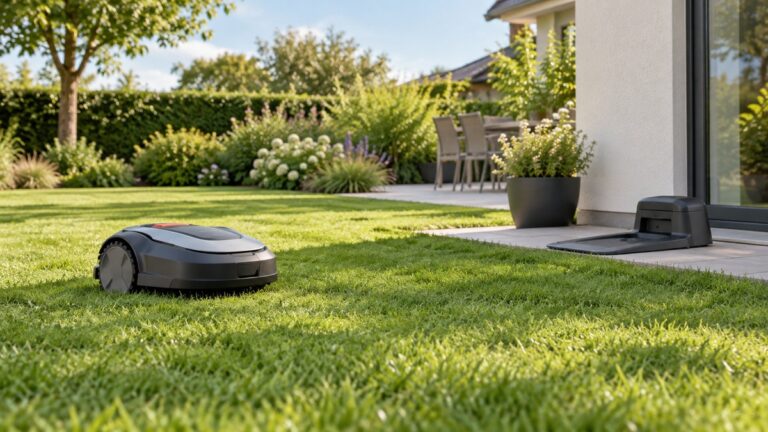
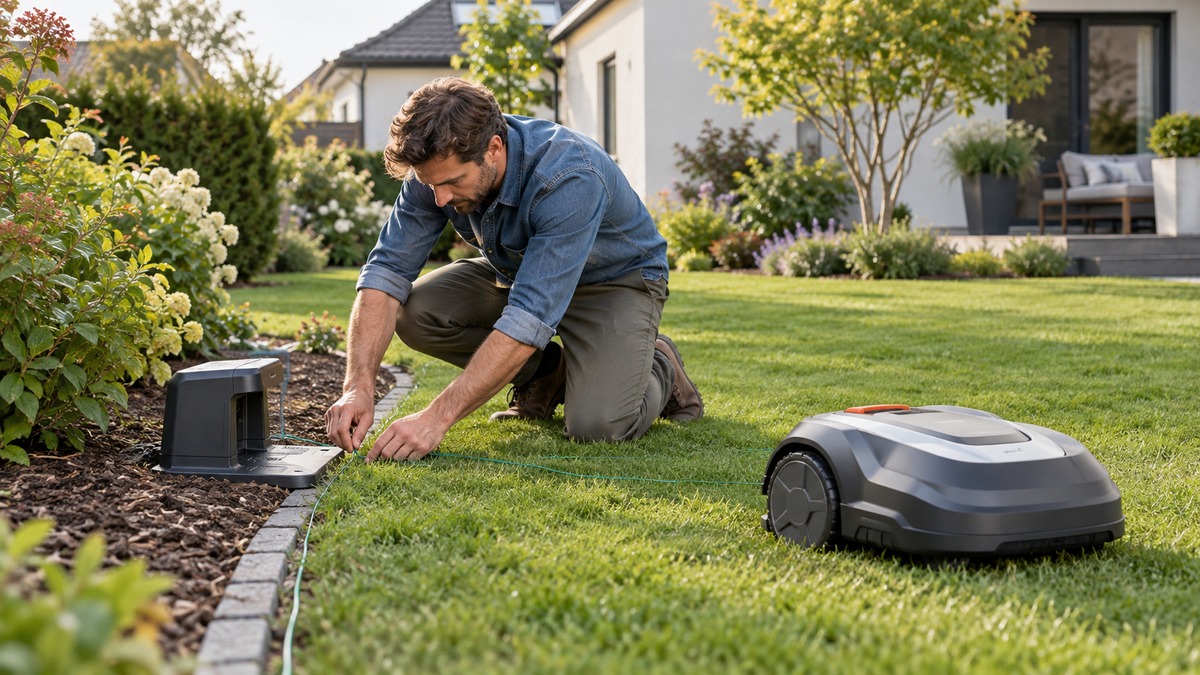
- Place the charging station on a level surface near a power outlet. The manufacturer says to place the station near a power outlet and to make sure it sits on a level surface. The baseplate must not be bent, so check it before you place the station.
- Choose a central spot, and handle slopes with care. The manufacturer says to place the station in a central location of the mowing area where possible. If the work area has two parts split by a steep slope, put the station in the lower section.
- Keep metal away from the station. The manufacturer says to keep metal objects away from the station, and it gives reinforcement bars, metal edging and coils of low-voltage cable as examples, because they may interfere with the signal.
- Protect the station from the sun. The manufacturer says to position the station in an area with protection from the sun, or to use an Automower house.
- Keep the free space the manufacturer lists. For a physical boundary wire installation, the manufacturer lists a minimum of 3 m (10 ft) in front of the station, 150 cm (60 in) of free space to each side of the center, and 60 cm (2 ft) behind it. A wire-free EPOS installation uses a different front clearance of 6 m (20 ft).
- Assemble and connect the charging station. The manufacturer’s article lists assembling, placing and connecting the charging station as a set-up topic, but the step detail was not in the pages we opened. If you use a cover, shelter or roof, the manufacturer’s checklist says to keep open sides for ventilation and not to put the power supply in a closed box. Plug the power supply in with dry hands, as the Safety section below explains.
- Lay the boundary and guide wires. The manufacturer’s article lists laying and connecting the boundary and guide wires as a set-up topic. The detailed wire steps are in a linked guide that this draft did not open, so this guide does not give them. Check your model’s manual for the layout.
- Do not secure the station until the installation works. The manufacturer says not to secure the charging station to the ground until you have installed all the wires and verified that the installation works. Keep the station loose until then.
- Pair the mower with the app. The manufacturer’s article lists pairing the mower with the Automower Connect app as the last set-up topic. The pages we opened do not give the pairing steps, so use the app’s on-screen prompts and the model’s manual.
- Check the charging station lights. The manufacturer’s light guide gives meanings for a solid red light, a flashing red light and no light at all. Use those meanings to decide whether the problem is the power supply or the antenna wire. Repairs are listed as service or professional work.
Charging station checks at a glance
The table gathers the checks from the steps above. Each row shows what the sources state and where it comes from. A cell that says “not stated” marks a point the sources we opened do not cover.
| Check | What the sources state | Source |
|---|---|---|
| Power outlet | Place the charging station near a power outlet | Husqvarna US charging station guide |
| Surface and baseplate | Level surface; the baseplate must not be bent | Husqvarna US charging station guide |
| Location | Central spot in the mowing area; lower section if a steep slope splits the area | Husqvarna US charging station guide |
| Metal nearby | Keep metal objects away; they may interfere with the signal | Husqvarna US charging station guide |
| Free space, boundary wire | 3 m (10 ft) in front; 150 cm (60 in) to each side of center; 60 cm (2 ft) behind | Husqvarna US charging station guide |
| Free space, wire-free EPOS | 6 m (20 ft) in front | Husqvarna US charging station guide |
| Ventilation | Open sides for a cover or shelter; no power supply in a closed box | Husqvarna US charging station guide |
| Securing the station | Do not anchor until all wires are installed and verified | Husqvarna US charging station guide |
| Slope limit for the mower | Standard models can manage slopes of 25 to 50 percent, depending on the model | Husqvarna US slope article |
| Wire layout and pairing steps | Named as set-up topics; step detail not stated in the pages opened | Husqvarna US boundary wire article |
Read the table as a list of checks, not as a full installation. The free space figures are for a physical boundary wire installation, and the wire-free figure is a different installation type. Use the figures that match the type you are installing.
Slope limits, as the manufacturer states them
The Husqvarna US slope article says that standard models can manage slopes of 25 to 50 percent, depending on the model. It adds that its AWD models can handle more. The per-model table on the page did not come through in the text we opened, so the figure for your mower sits in that table or in the model’s manual, not in this guide.
The same article defines slope as vertical height divided by horizontal distance, times 100. That formula lets you check a lawn against the model’s figure. Measure the rise and the run in the same units, divide, and multiply by 100 to get a percent. Then compare the result with the model’s limit on the article or in the manual.
The slope limit affects the station placement too. The charging station guide says that a steep slope splitting the work area calls for the station in the lower section, so a slope check is part of the placement step, not a separate task.
Safety around the power supply and the station
The charging station uses a power supply and a plug, so the electrical safety points come first. The OSHA rule for cord-connected equipment says a cord should be visually inspected before use for external defects, including damage to the outer jacket or insulation. Check the power supply cord before you plug it in, and do not use a cord that shows damage.
The same OSHA rule says that employees’ hands may not be wet when plugging and unplugging energized cord connections. That rule is written for workplaces, but it is a sensible habit at home. Keep your hands dry at the plug, and do not plug or unplug the power supply with wet hands.
The OSHA eTool names a ground-fault circuit interrupter as one acceptable protection method for electric tool work. The sources we opened do not state a GFCI rule for a robot mower’s charging station, so this guide does not set one. The eTool’s damp-location rule says not to use electric tools in damp or wet locations unless they are approved for that purpose. The sources do not say whether a charging station counts as a tool for that rule.
The manufacturer’s checklist adds points that protect the power supply itself. Keep the power supply out of a closed box, keep the sides open for a cover or shelter, and treat a red light as a sign to check the power supply or the antenna wire. The manufacturer lists a flashing red light for a damaged antenna wire as a professional repair item. Do not try that repair yourself.
This guide gives no blade steps. The pages we opened do not cover blade safety for the robot mower itself, so any blade work needs the owner’s manual for your model.
How we chose
We looked for manufacturer pages that describe set-up for a robot mower, plus slope and electrical safety rules. We opened five pages on 2026-10-22, each with an HTTP 200 response. Three are Husqvarna US pages covering charging station placement, the boundary wire installation article and steep slopes. Two are OSHA pages, a rule page and an eTool on power tools.
The Husqvarna pages are US pages, so this guide uses them as the main source for set-up. We did not need a non-US locale page, because the US pages covered the set-up topics. We left out retail listings, because they are allowed only for stated specifications. We left out owner’s manuals offered as PDF files, because the tool used for this draft cannot read PDFs. We also left out general buying guides and forum threads. No mower is ranked or recommended here.
What we could not verify
We could not verify the wiring steps, the connection order for the power supply or the pairing steps for any model, because the detailed installation guide linked from the Husqvarna US article was not opened in this draft. We could not verify the slope figure for any single model, since the model table did not come through in the text we opened.
We could not verify the Worx or other brand set-up pages, because the Worx support page returned a not-found response when it was requested, and the Worx installation guides in the search results were PDF files. The placement guide does not name the models it applies to, so check the model’s manual before you rely on a figure from it.
What the sources do not say
The sources do not give a step-by-step wire layout, a connection order for the boundary and guide wires, or the steps to pair the mower with the app. They do not give a first-mow schedule, a cutting height setting or a list of start-up checks, so this guide does not give those either.
They also do not state a GFCI rule for a charging station outlet at home, and they do not say how far a Wi-Fi-only model can sit from a router beyond the note that the station must be within range. Anything beyond the listed clearances and checks needs the owner’s manual for your model.
FAQ
Do I need to lay the boundary wire before I place the charging station?
The manufacturer’s installation article lists placing and connecting the charging station before laying and connecting the boundary and guide wires. The charging station guide also says not to secure the station to the ground until the wires are installed and verified. So the station goes down first, and the wires follow, with the station kept loose until the installation works.
The detailed wire order is in the linked guide, which this draft did not open. Follow that guide and the model’s manual for the exact steps.
How much space does a robot mower charging station need in front?
For a physical boundary wire installation, the manufacturer lists a minimum of 3 m (10 ft) of free space in front of the charging station. For a wire-free EPOS installation, it lists 6 m (20 ft) in front. Those are the figures in the manufacturer’s charging station guide, and they differ by installation type.
Keep the side and rear clearances too. The guide lists 150 cm (60 in) to each side of the center and 60 cm (2 ft) behind the station for a physical boundary wire installation.
Can a robot mower work on a steep slope?
Standard Husqvarna US models can manage slopes of 25 to 50 percent, depending on the model, according to the slope article. Some AWD models are listed for higher slopes. The figure for your own model is in the model table or the manual, and this guide does not state one.
Check the slope with the formula the article gives: vertical height divided by horizontal distance, times 100. Compare the result with the model’s figure before you plan the wire layout around a steep area.
Why should I keep the charging station out of a closed box?
The manufacturer’s checklist for covers says to keep the sides open for good ventilation, to avoid heat build-up, and not to put the power supply in a closed box. The checklist is for any cover, shelter or roof used over the station.
The sources do not state a temperature or a heat limit, so this guide does not give one. Follow the checklist and the model’s manual on the power supply.
What does a red light on the charging station mean?
The manufacturer’s light guide says a solid red light means a circuit board or power supply issue that needs service. A flashing red light means a damaged antenna wire that needs professional repair. No light means a power supply problem that needs troubleshooting.
The guide does not give a home repair for any of these, so for a solid red or flashing red light, contact the manufacturer or an authorized service provider named in the model’s manual.
Is a robot mower safe to set up with wet hands or in the rain?
The OSHA rule says hands may not be wet when plugging and unplugging energized cord connections. That rule is for workplaces, but it applies as a habit at the plug. Keep your hands dry, and do not plug or unplug the power supply with wet hands.
The sources we opened do not say whether a charging station can be set up in the rain. The OSHA eTool says not to use electric tools in damp or wet locations unless they are approved, and the sources do not say whether the station counts as a tool for that rule.
Bottom line
Place and check the charging station before any wire goes down, and keep it loose until the installation works. If the placement, clearances and light checks pass, follow the model’s manual for the wire and app steps that these sources do not give. For a smaller lawn, the guide to robot lawn mowers for small lawns covers the size question that comes before set-up.
Sources
- Husqvarna US: Automower charging station, optimal placement and mower house guide (opened 2026-10-22)
- Husqvarna US: Install Automower with a physical boundary wire (opened 2026-10-22)
- Husqvarna US: Optimising an Automower installation for steep slopes (opened 2026-10-22)
- OSHA: 1910.334 Use of equipment (opened 2026-10-22)
- OSHA: eTool, Construction, Electrical Incidents, Power Tools (opened 2026-10-22)